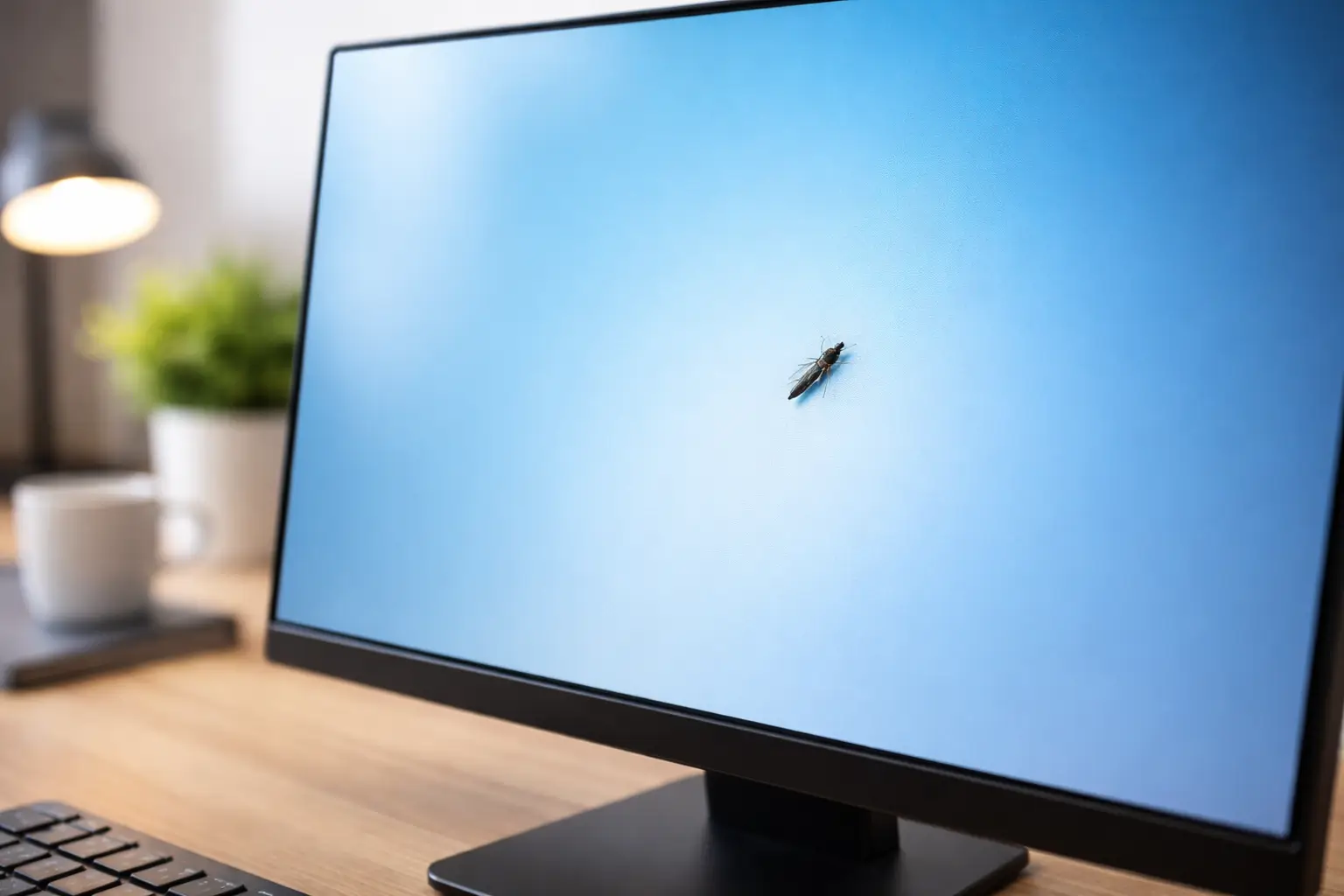
You power on your monitor, settle into your workflow, and suddenly notice a tiny moving dot on the screen. At first, it looks like dust or a dead pixel. Then it shifts direction.
Finding a bug inside your computer screen is one of those problems that instantly creates concern. Is the screen damaged? Will the insect spread? Should you try removing it immediately?
The reassuring news is that this situation is more common than most people realize, and in the majority of cases it does not pose a serious threat to your monitor. What matters most is how you respond. Many displays that could have remained perfectly functional end up permanently damaged because someone pressed the panel or attempted a risky DIY fix.
This guide explains why insects get inside monitors, whether they can cause damage, and exactly what you should do to protect your screen.
Why Do Bugs Get Inside Computer Screens?
Modern LED and LCD monitors are precisely engineered, but they are not completely sealed. Tiny ventilation paths allow internal heat to escape, preventing long-term component damage.
Some insects are thin enough to slip through these microscopic gaps. The most common culprits are thrips, extremely small insects sometimes called “ghost bugs” by technicians.
They are typically attracted by:
- Light: Bright displays stand out in dark rooms.
- Warmth: Electronics generate mild heat that insects gravitate toward.
- Shelter: The layered structure of a display creates a calm, protected space.
This is not necessarily a sign of a dirty workspace. Even very clean home offices can experience this issue, especially during warmer months.
First Confirm the Bug Is Actually Inside the Monitor
Before assuming the worst, verify that the insect is not sitting on the surface.
Use a clean microfiber cloth and gently wipe the screen. If the speck disappears, it was likely dust. If it continues moving but appears slightly blurred or unreachable, it is almost certainly trapped inside the panel layers.
A quick tip: objects inside the display often look softer or slightly out of focus compared to debris resting on top.
While checking, avoid pressing the screen. Pressure damage is permanent and far worse than a trapped insect.
If you notice marks that do not move at all, the issue may not be a bug. It could be a panel defect such as a white spot on your monitor screen, which often points to backlight or pressure damage rather than an insect.
Can a Bug Damage Your Monitor?
In most cases, no. A trapped insect typically stays within the outer display layers and does not interfere with sensitive electronics.
The biggest challenge is visibility. Because the human eye naturally detects motion, even a tiny moving speck can become incredibly distracting during focused work.
The real concern arises if the insect dies in a noticeable area. It can leave behind a dark mark that resembles a stuck pixel.
However, it is important to understand this: the insect itself is rarely the true threat. Improper handling causes far more damage than the bug ever could.
For example, pressing the panel can create distortion, bright patches, or even horizontal artifacts. If you are already seeing flickering or lines, learn what might be causing black lines on a monitor with horizontal flickering before attempting any fix.
What to Do Immediately After Spotting a Bug
Your first reaction matters more than you might think. Acting out of frustration is where most expensive mistakes begin.
Start by turning the monitor off. Without light and warmth, the environment becomes less attractive to the insect.
If possible, leave the monitor powered down for several hours or overnight so it can cool completely.
You can also slightly tilt the monitor so the bottom edge angles downward. Gravity sometimes encourages the insect to move toward the bezel.
Focus on restraint rather than action:
- Do not press the screen.
- Do not tap the display.
- Do not shake the monitor.
Patience is often the safest solution.
Safe Methods That May Help the Bug Exit
There is no guaranteed removal technique, but a few low-risk methods are worth trying.
One effective approach is simply allowing the monitor to cool in a dark environment. A powered-off screen is far less appealing to light-seeking insects.
Another option is guiding rather than forcing. Place a soft external light near one edge of the monitor while keeping the display off. Some insects instinctively move toward the new light source.
Very subtle desk vibrations, such as gently shifting the desk, may also encourage movement. The key word is subtle. Never flick the panel itself.
These approaches work because they influence the insect’s behavior instead of applying pressure.
Mistakes That Permanently Damage Screens
Technicians repeatedly see the same preventable errors when users try to remove bugs from their monitors.
Opening a monitor at home is one of the fastest ways to turn a minor annoyance into a costly repair. Displays are assembled in controlled environments to prevent dust from settling between layers. Once opened outside those conditions, contamination becomes highly likely.
Avoid these common mistakes:
- Never dismantle the monitor yourself.
- Avoid blowing compressed air into ventilation gaps.
- Skip internet “quick fixes” involving needles or suction tools.
When dealing with modern displays, less intervention is almost always the smarter choice.
When You Should Contact the Manufacturer
If your monitor is still under warranty, contacting the manufacturer is a smart move before attempting anything risky.
Policies vary by brand, but some consider trapped insects a panel issue if it significantly affects visibility.
Professional support is worth considering when:
- The insect dies in the center of the screen.
- Multiple bugs appear.
- The display is expensive or used for professional work.
- The monitor is essential to your daily tasks.
Trying to tolerate a highly visible spot might work for a secondary display, but for a primary workstation, replacement is often the more practical long-term decision.
How to Reduce the Chances of Bugs Entering Your Monitor
No setup is completely bug-proof, but a few adjustments can significantly lower the risk.
- Turn off monitors when not in use, especially at night.
- Install window screens to reduce indoor insect activity.
- Maintain moderate humidity with proper ventilation.
- Keep your workspace clean and uncluttered.
Think of prevention as risk reduction rather than elimination. Even premium monitors can experience this issue because ventilation is necessary for thermal performance.
Is This Problem Common?
It feels rare until it happens to you. In reality, repair centers and tech communities report cases every year, particularly during warmer seasons when insect activity rises.
Ultra-thin insects can infiltrate even high-end displays, so this is not automatically a sign of poor product quality.
Most importantly, it is rarely an emergency. A calm response protects your monitor far better than a rushed fix.
Final Thoughts
A bug inside your monitor is unsettling, but it is usually a minor inconvenience rather than a technical disaster. Your display is unlikely to fail because of it, and careful patience dramatically reduces the chance of accidental damage.
Turn the monitor off, let it cool, avoid touching the panel, and guide rather than force if you attempt remo